
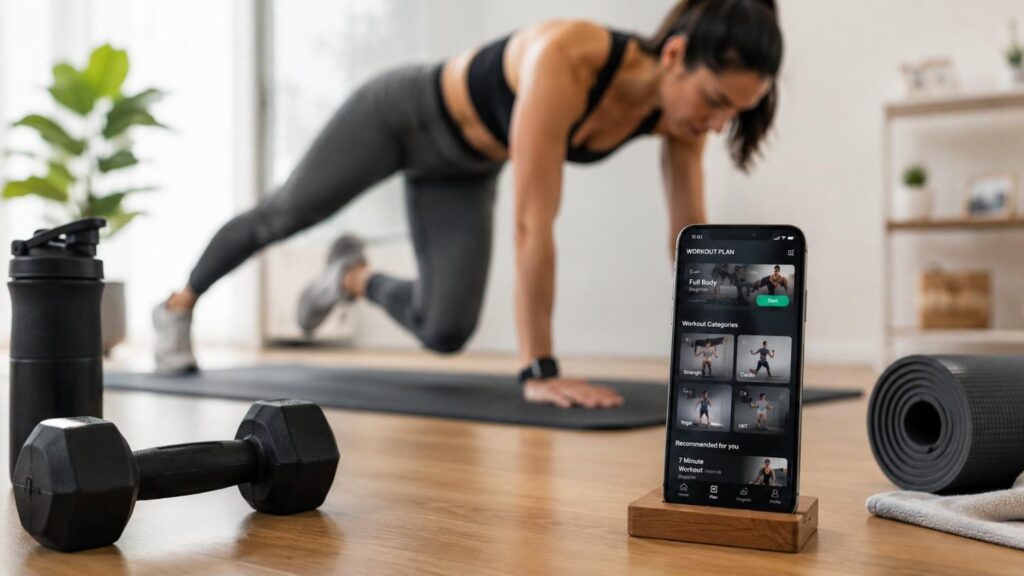
The Best Fitness Apps for Home Workouts in 2026
Finding the best fitness apps for home workouts is not just about downloading the most popular app. It is about choosing a tool that fits your lifestyle, fitness level, goals, schedule, and available space. A good fitness app should make exercise easier to start, easier to follow, and easier to repeat consistently. Whether you want to lose weight, build strength, improve flexibility, increase stamina, or simply stay active without going to a gym, the right app can give you a clear structure at home.
Home workout apps have become especially useful because they remove many common barriers to exercise. You do not need to travel, wait for machines, feel uncomfortable in a gym, or build a complex routine from scratch. Many apps now offer beginner workouts, no-equipment sessions, bodyweight strength training, yoga, Pilates, HIIT, mobility work, guided meditation, and progress tracking. This makes them practical for busy professionals, parents, students, remote workers, and anyone who prefers exercising privately.
In my experience, the best app is not always the one with the most features. It is the one you can use consistently. Some people need short 15-minute workouts. Others need structured strength programs, yoga routines, or motivational instructor-led classes. This guide compares the best options, explains how to choose safely, and helps you find an app that supports your goals without overwhelming you.
Why Home Workout Apps Are Worth Considering
Home workout apps are worth considering because they make fitness more accessible, flexible, and affordable for many people. Traditional gym routines can work very well, but they are not always realistic for everyone. Some people have limited time, unpredictable schedules, family responsibilities, travel restrictions, or discomfort exercising in public spaces. A well-designed fitness app solves many of these issues by bringing guided exercise directly to your phone, tablet, television, or smartwatch.
Another major advantage is variety. Instead of repeating the same workout every week, users can choose from strength training, HIIT, yoga, Pilates, cardio, stretching, mobility, meditation, and recovery sessions. This variety helps reduce boredom and makes it easier to stay consistent. Beginners can start with simple bodyweight movements, while more experienced users can follow structured programs that build strength, endurance, and flexibility over time.
Home workout apps also help users make better decisions. A clear app-based plan reduces guesswork and gives direction. Instead of wondering what to train today, users can open the app and follow a guided session. Many apps also include progress tracking, workout history, reminders, and difficulty filters. These features help people stay accountable without needing a personal trainer in the room.
Most importantly, a home workout app can create a sustainable fitness habit. When exercise is easy to access, easy to follow, and easy to fit into the day, people are more likely to keep going.
They Remove Common Barriers
One of the biggest benefits of home workout apps is that they remove barriers that often stop people from exercising. Many people do not skip workouts because they lack motivation completely. They skip workouts because the process feels inconvenient. Driving to the gym, changing clothes, waiting for equipment, finding childcare, or fitting a class into a busy schedule can make exercise feel harder than it needs to be. A home workout app reduces that friction by allowing users to train wherever they are.
This is especially useful for beginners who may feel nervous in a gym environment. With a home workout app, they can learn basic movements privately and at their own pace. Most beginner-friendly apps include video demonstrations, low-impact options, and shorter sessions. This helps users build confidence before moving into longer or more advanced workouts.
Home workout apps also work well for people with limited equipment. Many apps offer bodyweight workouts, mat-based routines, mobility sessions, and no-equipment HIIT workouts. This means users can start without buying expensive machines or building a home gym. For many people, removing these small obstacles is what makes regular exercise possible.
They Help You Follow a Plan
A good fitness app does more than show random workout videos. It helps users follow a structured plan. This matters because a structured plan gives purpose to each session. Instead of choosing a different workout every day without direction, users can follow a weekly or monthly routine that gradually builds strength, stamina, mobility, or confidence. This is especially important for beginners who may not know how to balance strength, cardio, flexibility, and rest days.
A clear plan also supports consistency. When the app tells you what to do next, you do not waste energy deciding where to begin. This small detail can make a big difference for people with busy schedules. Many home workout apps offer programs such as beginner strength plans, four-week HIIT plans, yoga challenges, mobility programs, and goal-based training schedules. These programs give users a sense of progress and direction.
For more advanced users, structured plans can also support progressive overload, improved performance, and better tracking. Strength-focused apps may allow users to log reps, sets, weights, and completed sessions. Yoga or mobility apps may help users increase session duration, improve flexibility, or target specific areas. A strong plan turns a simple app into a practical training tool.
Best Fitness Apps for Home Workouts Compared
Choosing from the best fitness apps for home workouts becomes easier when you compare them by purpose instead of popularity. Every app has a slightly different strength. Some are better for free general workouts, while others are stronger for studio-style classes, yoga, strength training, personalised coaching, or wellness routines. The right choice depends on your fitness level, budget, device, and training preference.
For example, Nike Training Club and FitOn are excellent for people who want variety without paying immediately. Apple Fitness+ works best for people already using Apple devices because it connects smoothly with the Apple ecosystem. Peloton is better for users who enjoy the energy of live or on-demand classes. Down Dog is ideal for yoga because it allows users to adjust the practice based on time, level, focus, and style. Caliber is more suitable for structured strength training, while Freeletics is helpful for people who want adaptive bodyweight and HIIT workouts. Centr combines workouts, meals, and mindfulness, making it more of a complete wellness app. Sweat is especially popular among women looking for structured fitness programs, while Alo Wellness Club is strong for yoga, Pilates, barre, and mindful movement.
Before choosing any app, check its official website or app store listing. Features, plans, subscriptions, free trials, device support, and availability can change. The best approach is to shortlist two or three apps, test them for a week, and keep the one that feels easiest to use consistently.
| App | Best For | Key Home Workout Strength | Good Fit For |
|---|---|---|---|
| Nike Training Club | Free all-round training | Strength, endurance, yoga, mobility, and conditioning workouts | Beginners and general fitness users |
| FitOn | Free guided workouts | Cardio, yoga, strength, Pilates, toning, and meditation | Budget-conscious users |
| Apple Fitness+ | Apple users | 12 workout types and meditation | iPhone, iPad, Apple TV, and Apple Watch users |
| Peloton App | Studio-style motivation | Strength, yoga, meditation, running, cycling, and cardio classes | People who like instructor-led classes |
| Down Dog | Yoga flexibility | Custom yoga sessions by time, level, focus, voice, and music | Yoga and mobility users |
| Caliber | Strength training | Workout tracking, tutorials, and coaching options | Muscle building and structured training |
| Freeletics | Adaptive training | AI-based bodyweight, HIIT, cardio, and strength plans | Users who want personalised programs |
| Centr | Holistic wellness | Workouts, meals, and expert-led meditations | Users wanting fitness plus lifestyle support |
| Sweat | Women-focused training | Structured programs and large workout library | Women looking for guided training plans |
| Alo Wellness Club | Yoga, Pilates, barre | Thousands of classes and wellness programs | Yoga, Pilates, and mindful movement users |
Best Free All-Round Pick: Nike Training Club and FitOn
Nike Training Club is one of the strongest free fitness apps for home workouts because it covers a wide range of training styles. Users can find strength workouts, endurance sessions, yoga flows, mobility routines, and conditioning workouts in one place. This makes it especially useful for beginners who are still discovering what type of exercise they enjoy. Instead of downloading separate apps for strength, yoga, and cardio, users can start with one broad platform and build a balanced routine.
FitOn is another excellent free option for users who want guided video workouts without a complicated setup. It includes cardio, yoga, strength, Pilates, toning, stretching, and meditation. This variety makes it useful for people who want to stay active at home without investing in gym equipment or premium subscriptions right away. Many users also appreciate that FitOn offers workouts by time, category, and intensity level.
Both apps are good starting points because they reduce the risk of overcommitting. You can test different workout styles, learn what you enjoy, and build consistency before paying for advanced features elsewhere. For most beginners, that is the smartest first step.
Best Premium Studio Pick: Apple Fitness+ and Peloton
Apple Fitness+ is a strong premium choice for people already using Apple devices. It offers polished, instructor-led classes across multiple workout types, including strength, HIIT, yoga, Pilates, core, cycling, treadmill, rowing, dance, kickboxing, meditation, and mindful cooldowns. The main advantage is the smooth connection between Apple devices. Users can follow workouts on an iPhone, iPad, Apple TV, or Apple Watch, making the experience more integrated and convenient.
Peloton is another premium option, but it has a different feel. It is especially strong for people who enjoy motivational instructors and studio-style energy. Even without Peloton equipment, the Peloton App includes strength training, yoga, meditation, outdoor running, stretching, cardio, and gym-based workouts depending on the selected plan. The app works well for users who prefer a class atmosphere and want coaching that feels energetic and engaging.
Both apps are better suited for people who value high-quality production, clear instruction, and regular class variety. They are not always necessary for beginners on a budget, but they can be very effective for users who need motivation, structure, and a more premium workout experience at home.
Best Specialised Picks: Down Dog, Caliber, Freeletics, Centr, Sweat, and Alo
Specialised fitness apps are useful when you already know your main goal. Down Dog is one of the best choices for yoga because it allows users to customise sessions by time, level, focus area, pace, voice, and music. This makes it flexible for beginners, regular yoga users, and people who want to improve mobility or reduce stress through guided movement.
Caliber is more focused on strength training. It is useful for users who want structure, exercise tutorials, workout tracking, and a clearer plan for building muscle or improving strength. Freeletics is a better fit for people who like bodyweight training, HIIT, and adaptive workout plans. It can work well for users who want challenging sessions without needing much equipment.
Centr takes a broader wellness approach by combining workouts, meal support, and mindfulness content. Sweat is widely known for women-focused programs and structured fitness plans. Alo Wellness Club is a strong option for yoga, Pilates, barre, meditation, and mindful movement. These apps are best for users who want a more focused training experience rather than a general workout library.
How to Choose the Right Home Workout App
Choosing the right home workout app starts with understanding your personal goal. Many people download an app because it is popular, but popularity does not always mean it is the right fit. A person who wants to improve flexibility does not need the same app as someone who wants to build muscle. A complete beginner does not need the same program as an experienced user who already understands strength training.
Start by asking what you want the app to help you do. Do you want to lose weight, gain strength, improve mobility, build consistency, reduce stress, or simply move more during the week? Once your goal is clear, the app choice becomes much easier. For weight management, look for apps that include cardio, strength training, beginner programs, and habit-building tools. For strength, choose an app with progress tracking, exercise tutorials, and planned progression. For yoga or stress relief, choose an app focused on flexibility, breathing, and recovery.
You should also consider your schedule and environment. If you only have 15 minutes a day, avoid apps built around long sessions. If you do not own equipment, choose no-equipment workout apps or bodyweight programs. If you enjoy instruction, choose guided workout videos. If you prefer independent training, choose an app with tracking and written plans.
The best fitness app should feel practical. It should fit naturally into your routine instead of making fitness feel like another complicated task.
| Your Goal | Recommended App Type | Features to Look For |
|---|---|---|
| General fitness | All-round fitness app | Variety of strength, cardio, yoga, and mobility workouts |
| Weight loss | HIIT and cardio app | Interval training, calorie tracking, guided workout plans |
| Muscle building | Strength training app | Progressive overload, exercise tracking, personalised workout plans |
| Flexibility | Yoga workout app | Guided yoga sessions, stretching routines, mobility exercises |
| Stress relief | Wellness app | Meditation, breathing exercises, recovery sessions |
| Beginners | Beginner-friendly workout app | Short workouts, form demonstrations, low-impact options |
| No equipment training | Bodyweight workout app | Equipment-free routines, home-friendly exercises |
| Busy schedule | Quick workout app | Sessions between 10 and 20 minutes with flexible scheduling |
Match the App to Your Goal
Matching the app to your goal is the most important step. If your main goal is weight loss support, you need a mix of cardio, strength training, consistency, and realistic nutrition awareness. A good app should help you move regularly without pushing extreme routines. Apps with beginner HIIT, low-impact cardio, walking workouts, and strength circuits can be useful for this purpose.
If your goal is muscle building, your app should focus on progressive strength training. Look for features such as workout logs, exercise demonstrations, rep tracking, set tracking, and planned progression. A random workout library may not be enough if you want measurable strength results. Apps such as Caliber or other strength-focused platforms are usually more suitable for this type of goal.
If your goal is flexibility, posture, stress relief, or recovery, a yoga workout app or mobility app will be more useful. Down Dog and Alo Wellness Club are examples of apps that focus more on mindful movement. The goal is to avoid choosing an app based only on popularity. Choose based on your actual need.
Check Equipment, Time, and Fitness Level
Before committing to any app, check whether it matches your available equipment, time, and fitness level. This step is simple, but many people skip it. They download a workout app, choose a program, and later realise that most sessions require dumbbells, resistance bands, gym machines, or more space than they have. This creates frustration and often leads to quitting.
If you are exercising at home with no equipment, choose apps that clearly offer bodyweight workouts, yoga, Pilates, stretching, or no-equipment HIIT. If you own dumbbells or resistance bands, you can choose more strength-focused programs. If you have a treadmill, bike, or rowing machine, apps such as Apple Fitness+ or Peloton may offer more useful options.
Time matters as much as equipment. A 45-minute workout may be unrealistic for someone with a packed schedule. In that case, short 10 to 25-minute workouts are better. Also check difficulty levels. Beginners should look for low-impact choices, form guidance, and modifications. Advanced users should look for progression, intensity options, and tracking tools.
Download and Privacy Safety Checklist
Downloading a fitness app may seem simple, but it is still important to think about safety, privacy, and data protection. Fitness apps can collect information such as your name, email address, activity level, workout history, device information, payment details, location data, health-related inputs, or connected wearable data. This does not mean fitness apps are unsafe, but it does mean users should download and use them carefully.
The safest approach is to download apps only from official sources. For iPhone and iPad users, that usually means the Apple App Store. For Android users, that usually means Google Play. Some companies also provide official download links through their own websites. Avoid unofficial APK files, copied download pages, cracked premium versions, and unknown third-party websites. These sources may expose your device to malware, data theft, or fake subscription traps.
Privacy is another key point. Before using a fitness app, review what data it collects and why. Check whether the app asks for location access, health data, contacts, camera access, or background activity. Some permissions may make sense for certain features, such as GPS tracking for outdoor running. Others may not be necessary for simple home workouts.
A fitness app should support your health, not create unnecessary digital risk. Taking a few minutes to check the developer, permissions, reviews, and privacy details can protect your data and improve your overall experience.
Use Official App Stores and Developer Pages
The safest way to download any fitness app is through an official app store or the developer’s verified website. This reduces the risk of downloading fake apps, modified files, or harmful software. App stores are not perfect, but they do provide more security checks than random download websites. They also make it easier to verify the developer name, read user reviews, check update history, and review subscription details.
For Android users, Google Play Protect helps scan apps and warns users about potentially harmful behaviour. For Apple users, the App Store provides app privacy information and developer details. These tools do not replace your own judgment, but they give you more information before you install an app.
Be careful with websites offering “premium unlocked” versions of paid fitness apps. These downloads may seem attractive, but they can create serious risks. They may contain malware, steal personal data, or break app functionality. They may also violate the app’s terms of use. For safe home workout planning, use trusted sources and avoid shortcuts that put your device or personal information at risk.
Review Permissions and Privacy Labels
Before using a fitness app, take time to review its permissions and privacy details. A workout app may need access to health data if you want it to sync with your smartwatch or phone health app. A running app may need location access to track outdoor distance. A video workout app may need media or notification access depending on its features. However, not every permission is necessary for every app.
If an app asks for access to contacts, microphone, camera, or precise location without a clear reason, pause before accepting. You can often deny optional permissions and still use the app’s main features. This is especially true for basic home workout apps that only provide guided videos, timers, and workout plans.
Also review subscription terms before starting a free trial. Check renewal dates, cancellation steps, and what features are included in the free version versus the paid plan. Many users forget to cancel trials because they do not read the terms carefully. A trustworthy app should clearly explain its pricing, permissions, and data use. Good privacy habits protect both your fitness journey and your personal information.
| What to Check | Why It Matters |
|---|---|
| Official app store | Reduces the risk of downloading fake or modified apps |
| Developer name | Confirms the app comes from the official publisher |
| User ratings and reviews | Provides insight into reliability and user experience |
| Privacy labels | Shows what personal data the app collects and how it may be used |
| App permissions | Helps ensure the app only requests access it genuinely needs |
| Subscription details | Prevents unexpected charges after free trials |
| Update history | Indicates whether the app is actively maintained |
| Device compatibility | Ensures the app works properly on your smartphone or tablet |
Simple 4-Week Home Workout Plan Using Apps
A fitness app becomes more effective when it is connected to a realistic weekly plan. Many people download an app, try one or two workouts, and then stop because they do not know how to continue. A simple four-week structure can solve this problem. It gives you a clear routine without making the process overwhelming. The goal is not to train every day or follow the hardest program immediately. The goal is to build a consistent habit that you can maintain.
For most beginners, three workouts per week is a strong starting point. This allows enough training to build momentum while still leaving time for recovery. Each session can be 15 to 30 minutes. That may not sound like much, but it is enough to create a foundation. Over time, you can increase duration, intensity, or resistance depending on your goal.
A balanced plan should include strength, cardio, mobility, and recovery. Strength training helps build muscle and supports daily movement. Cardio improves stamina and heart health. Mobility and stretching help reduce stiffness and improve movement quality. Recovery prevents burnout and allows your body to adapt.
Using an app makes this easier because you can select workouts by time, level, and category. You can also save favourites, track completed sessions, and follow a structured program. The four-week plan below is simple enough for beginners but flexible enough for more experienced users to adjust.
Week 1–2: Build Consistency
The first two weeks should focus on building consistency, not chasing maximum intensity. Many beginners make the mistake of starting with workouts that are too difficult. They feel sore, discouraged, or overwhelmed, and then stop. A better approach is to begin with manageable sessions that help your body and mind adjust to regular exercise.
Start with three workouts per week. Choose one beginner strength workout, one low-impact cardio or HIIT session, and one yoga or mobility session. Keep each workout between 15 and 30 minutes. If you are completely new to exercise, even 10 minutes is a reasonable starting point. The most important goal is to finish each session with confidence.
Use your app’s beginner filters, low-impact options, and form tutorials. Focus on learning movements such as squats, lunges, push-ups, glute bridges, planks, and basic stretches. Do not worry about perfection. Focus on control, breathing, and consistency. By the end of week two, your routine should feel familiar and easier to repeat.
Week 3–4: Progress Slowly
Weeks three and four are the right time to add gentle progression. Progress does not mean making every workout harder at once. It means changing one variable at a time. You can increase workout length, add light resistance, choose a slightly harder class, or add one extra session per week. This helps your body adapt without increasing the risk of burnout or poor form.
For example, if you trained three times per week during the first two weeks, you might add a short mobility session on a fourth day. If your strength workouts were 20 minutes, you might move to 25 or 30 minutes. If bodyweight squats felt easy, you might add a light dumbbell or choose a lower-body strength class.
This is where tracking becomes useful. Many fitness apps allow you to view completed workouts, save favourites, and monitor your routine. Strength apps may also allow you to track sets, reps, and weights. Progress should feel steady and controlled. The goal is to build a routine that improves your fitness without making exercise feel punishing.
Common Mistakes to Avoid With Fitness Apps
Fitness apps can be very helpful, but they are still tools. They cannot replace good judgment, realistic planning, proper form, recovery, or medical guidance when needed. Many users download one of the best fitness apps for home workouts and expect fast results without building the right habits around it. This often leads to frustration. The app can guide your sessions, but your consistency, effort, sleep, nutrition, and recovery still matter.
One common mistake is switching apps too often. Some users download several apps, try random workouts, and never follow one plan long enough to see progress. Variety is useful, but too much variety can make training unfocused. Another mistake is choosing workouts based only on how intense they look. A workout that leaves you exhausted is not always better. Good training should match your level and help you progress safely.
Users also need to be careful with unrealistic expectations. A home workout app can support weight management, strength, flexibility, and general health, but results take time. No app can promise instant fat loss, dramatic body changes, or guaranteed transformation. Be cautious of extreme claims and focus on sustainable improvement.
The best results come from choosing an app that matches your goal, following a plan, training consistently, and listening to your body. Avoiding common mistakes makes the app far more effective.
Starting Too Hard Too Soon
Starting too hard too soon is one of the most common mistakes people make with fitness apps. Many beginners choose advanced HIIT, intense strength circuits, or long workouts because they want fast results. The problem is that the body needs time to adapt. Doing too much too soon can lead to excessive soreness, poor form, fatigue, and loss of motivation.
A better approach is to start slightly below your maximum ability. Choose beginner workouts, low-impact options, shorter sessions, and clear form demonstrations. If a workout feels too easy, you can increase difficulty later. If it feels too hard, you may stop using the app altogether. Sustainable progress is more important than proving yourself in the first week.
Remember that consistency creates results. A 20-minute workout completed three times per week is more valuable than one extreme session followed by six days of avoidance. The right fitness app should help you build confidence, not make you feel defeated. Start simple, learn proper movement, and progress gradually.
Ignoring Form, Recovery, and Medical Limits
Another common mistake is ignoring form, recovery, and personal health limits. Fitness apps provide guidance, but they cannot always see how you are moving. If you perform exercises with poor form, you may place unnecessary stress on your joints, back, knees, shoulders, or wrists. This is especially important for movements such as squats, lunges, push-ups, planks, deadlifts, and overhead exercises.
Always watch demonstrations carefully before starting a new movement. If the app offers beginner modifications, use them. There is nothing wrong with choosing an easier version while you learn. Good form should come before speed, weight, or intensity. If something causes sharp pain, stop and reassess.
Recovery is also important. Your muscles need time to adapt, especially after strength training or high-intensity workouts. Include rest days, mobility work, stretching, hydration, and proper sleep. If you are pregnant, injured, recovering from surgery, managing a medical condition, or returning after a long break, speak with a qualified health professional before starting a new plan. Fitness apps are helpful, but they are not a replacement for medical advice.
Best App Recommendations by User Type
There is no single best app for every person because users have different goals, preferences, budgets, and fitness levels. A beginner may need simple instructions and low-impact workouts. A busy professional may need short sessions that can be completed between meetings. Someone focused on strength training may need tracking and planned progression. A yoga user may care more about session customisation, breathing, and mobility. This is why it is better to choose by user type instead of looking for one universal winner.
If you are new to exercise, start with an app that feels approachable. Avoid apps that overwhelm you with too many advanced programs. If you enjoy motivation, choose instructor-led video classes. If you prefer quiet, independent training, choose an app with written plans and tracking. If you need variety, choose an all-round app with several workout categories. If you want a more focused result, choose a specialised app.
Budget also matters. Free fitness apps can be enough for many users, especially beginners. Paid apps may be worth it if they offer features you will genuinely use, such as personalised plans, coaching, wearable integration, progress tracking, or advanced programs. Before paying, test the app’s free version or trial if available.
The best recommendation is the one that fits your routine so well that you do not have to force yourself to use it.
Beginners and Busy Professionals
Beginners should choose apps that make exercise feel simple and unintimidating. Nike Training Club and FitOn are strong starting points because they offer a wide range of guided home workouts without requiring users to understand complex training methods. They include beginner-friendly sessions, short workouts, and different categories such as strength, cardio, yoga, and mobility. This gives new users room to explore and build confidence.
Busy professionals need apps that respect limited time. A perfect workout plan is not useful if it does not fit into a real schedule. Look for apps that offer 10, 15, 20, and 30-minute sessions. Short workouts can still be effective when done consistently. A quick strength circuit before work, a yoga session after a long day, or a low-impact cardio class during lunch can help build a sustainable routine.
Apple Fitness+ can also work well for busy Apple users because it offers polished classes across many workout types. FitOn is useful for people who want flexibility without an immediate subscription. For beginners and busy users, the main goal should be consistency, confidence, and convenience.
Strength, Yoga, and Motivation Seekers
Strength-focused users should look for apps that go beyond simple workout videos. A good strength training app should include structured plans, exercise tutorials, tracking tools, and clear progression. Caliber is a strong choice for users who want strength training support, while Freeletics may suit people who enjoy bodyweight training, HIIT, and adaptive plans. Centr is also useful for people who want strength training combined with broader wellness support.
Yoga users should choose apps that offer flexibility, customisation, and clear instruction. Down Dog is a strong option because users can adjust session length, level, focus, pace, voice, and music. Alo Wellness Club is also useful for yoga, Pilates, barre, meditation, and mindful movement. These apps are better suited for flexibility, balance, stress relief, and recovery.
For users who need motivation, Peloton is one of the strongest options. Its instructor-led classes create a studio-style feel at home. This can help users who enjoy encouragement, energy, and class variety. The best choice depends on whether you need structure, calm, or motivation.
Quick Answer About The Best Fitness Apps for Home Workouts
The best fitness apps for home workouts depend on what you want to achieve and how you prefer to train. If you want a strong free option, Nike Training Club and FitOn are excellent starting points because they offer guided workouts across strength, cardio, yoga, mobility, and beginner-friendly routines. Apple Fitness+ is ideal for Apple users who want polished video classes and smooth device integration. Peloton works well for people who enjoy energetic, studio-style coaching from home. Down Dog is one of the strongest choices for yoga because it allows flexible session customisation. Caliber, Freeletics, and Centr are better suited for users who want structured strength training, personalised workout plans, and long-term progress tracking.
For beginners, I usually recommend starting with a free or low-cost app before committing to a paid plan. This helps you understand your preferred workout style without wasting money. If you only have 15 to 30 minutes a day, choose an app with short workouts, filters by difficulty level, and no-equipment options. If your goal is strength or muscle building, look for progressive plans, exercise tutorials, and workout tracking. If your goal is flexibility, stress relief, or recovery, yoga and mobility-focused apps will be more useful.
The key is to choose an app that matches your real life, not your ideal routine. The best app should make training feel simple, structured, and repeatable.
Frequently Asked Questions
Many people ask similar questions before choosing a home workout app. This is understandable because there are many options, and each app promotes different features. Some users want to know whether free apps are enough. Others want to know which app is best for beginners, yoga, strength training, or no-equipment workouts. Some also worry about privacy, subscriptions, and whether app-based workouts can actually produce results.
The most important thing to understand is that a fitness app is only effective when it matches your goal and is used consistently. A free app can work well if it gives you enough structure to exercise regularly. A premium app may be better if it offers coaching, tracking, device integration, or programs that you genuinely need. Neither option is automatically better for everyone.
When comparing apps, think about your current level first. Beginners should look for clear instruction, short workouts, and low-impact choices. Intermediate users may want more progression, intensity, and tracking. Advanced users may need specific training plans, strength programming, or performance-focused features. Also review safety, privacy, and cancellation details before subscribing.
What is the best fitness app for home workouts?
The best fitness app for home workouts depends on your personal goal. Nike Training Club and FitOn are strong free options for general fitness. Apple Fitness+ is excellent for Apple users who want polished guided classes. Peloton is useful for studio-style motivation. Down Dog is one of the best options for yoga, while Caliber is better for structured strength training. Instead of choosing one app for everyone, choose the app that fits your time, budget, equipment, and preferred workout style.
Are free fitness apps good enough?
Yes, free fitness apps can be good enough for many people, especially beginners. Apps such as Nike Training Club and FitOn offer guided workouts across several categories, including strength, cardio, yoga, mobility, and meditation. Free apps are a smart starting point because they let you test different workout styles before paying. However, paid apps may be better if you need personalised plans, deeper tracking, coaching, advanced programs, or a more premium class experience.
Which fitness app is best for beginners?
The best fitness apps for beginners are the ones that offer clear instruction, short sessions, low-impact workouts, and simple categories. Nike Training Club, FitOn, and Apple Fitness+ are good beginner-friendly choices because they provide guided workouts across different levels. Beginners should avoid starting with advanced HIIT or complex strength programs. It is better to begin with manageable workouts, learn proper form, and increase difficulty slowly as confidence improves.
Can I use home workout apps without equipment?
Yes, many home workout apps include no-equipment workouts that use bodyweight exercises, yoga, Pilates, cardio, stretching, and mobility drills. These are ideal for people who do not own dumbbells, resistance bands, treadmills, or other gym equipment. Before starting a program, check the workout details to confirm what is required. If you are training in a small space, choose low-impact bodyweight workouts or mat-based sessions that fit your environment.
Which app is best for yoga at home?
Down Dog is one of the best yoga apps for home workouts because it allows users to customise sessions by time, level, focus area, voice, pace, and music. This makes it flexible for beginners and regular yoga users. Alo Wellness Club is also a strong option for yoga, Pilates, barre, meditation, and mindful movement. If your main goal is flexibility, stress relief, or mobility, a specialised yoga app is usually better than a general fitness app.
How do I safely download a fitness app?
To safely download a fitness app, use the official Apple App Store, Google Play Store, or the developer’s verified website. Check the developer name, app reviews, permissions, privacy details, and subscription terms before installing. Avoid unofficial APKs, copied download pages, or “premium unlocked” versions because they may create privacy or security risks. Also review whether the app asks for permissions that match its purpose. A simple home workout app should not need unnecessary access to sensitive data.
Conclusion
The best fitness apps for home workouts are the ones that make exercise easier to start, easier to follow, and easier to repeat. A good app should match your goal, your available time, your equipment, your fitness level, and your preferred training style. Nike Training Club and FitOn are strong free choices for beginners and general fitness users. Apple Fitness+ and Peloton are better for users who want polished instructor-led classes. Down Dog and Alo Wellness Club are excellent for yoga, Pilates, mobility, and mindful movement. Caliber, Freeletics, and Centr are stronger options for people who want structure, strength training, and personalised progress.
The most important step is to avoid choosing an app based only on popularity. Start with your real goal. Decide whether you need strength, cardio, yoga, flexibility, weight management support, motivation, or a simple weekly routine. Then choose an app that supports that goal without making the process complicated.
Also remember to download apps safely, review privacy settings, check subscription terms, and start with realistic workouts. You do not need to train perfectly. You need to train consistently. When used correctly, the best fitness apps for home workouts can help you build a healthier routine from the comfort of your home.