
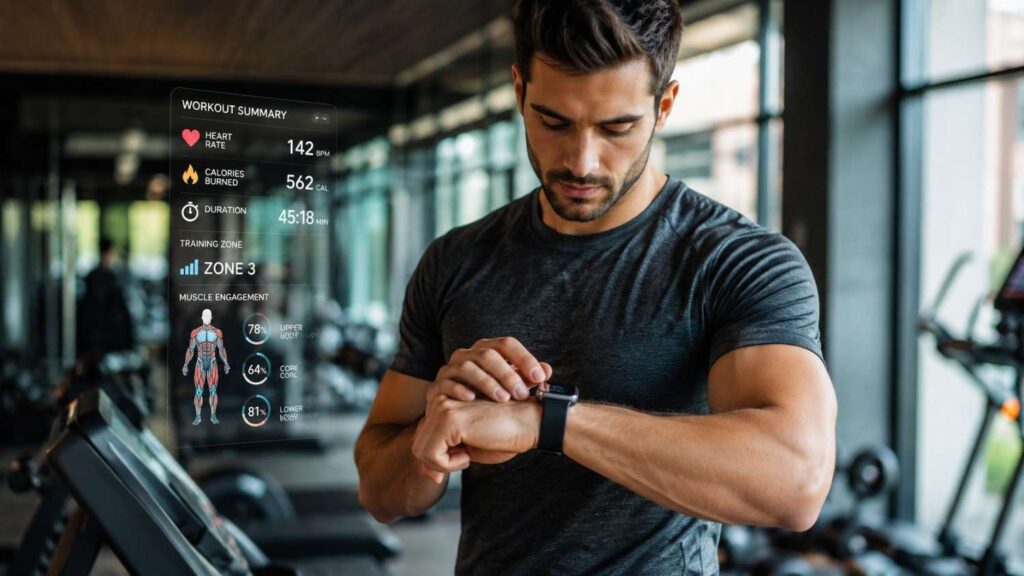
How to Integrate Fitness Technology Into Your Gym Routine
Fitness technology has changed the way people plan, perform, and evaluate exercise. A modern gym member may use a smartwatch to monitor cardio intensity, an app to log strength workouts, a chest strap to measure heart rate, a smart scale to observe body-weight trends, and connected equipment to transfer workout information automatically. These tools can improve organization and accountability, but they are only useful when they support a clear training purpose.
Understanding how to integrate fitness technology into your gym routine is not simply a matter of buying a wearable or downloading a popular app. Effective integration requires you to identify what you need to measure, select an appropriate tool, configure it correctly, use it without interrupting your workout, and review the resulting information in a structured way. Without that process, technology can become distracting, confusing, or unnecessarily expensive.
Wearables continue to play a major role in the fitness industry. The American College of Sports Medicine has repeatedly identified wearable technology as a leading fitness trend, reflecting widespread interest in smartwatches, activity trackers, heart rate monitors, GPS devices, and other connected tools. However, popularity does not guarantee usefulness for every person or every type of training.
The goal of this guide is to help beginners and experienced gym users create a practical digital fitness system. You will learn how to choose the right technology, track meaningful metrics, interpret estimates responsibly, protect sensitive data, and avoid allowing a device to replace sound training judgment.
Choose Fitness Technology That Solves a Real Problem
Selecting the right technology begins with identifying a specific training problem rather than focusing on the newest device or the largest number of features. One person may struggle to remember previous lifting loads, while another may need help maintaining a consistent pace during cardio. Someone returning to exercise may simply want a record of completed gym visits. These needs require different tools, even though all of them fall under the broad category of fitness technology.
A useful device should reduce uncertainty or make a recurring task easier. For example, a strength-training app can eliminate the need to remember previous sets and repetitions. A heart rate monitor can help a cyclist or treadmill user manage interval intensity. A smartwatch may provide reminders and weekly activity summaries that encourage consistency. Connected equipment can reduce manual data entry when synchronization works reliably.
Before choosing a tool, write down the decision you expect it to support. Ask whether the information will help you adjust resistance, change workout duration, manage rest intervals, improve technique, or identify a pattern in attendance. If you cannot explain how the data will influence your behavior, the feature may not be necessary.
It is also important to consider practical factors such as battery life, comfort, screen readability, subscription costs, app compatibility, data-export options, and privacy controls. The best technology is rarely the product with the most measurements. It is the tool that fits naturally into your routine and provides information you can understand and use consistently.
Use Wearables for Convenient, Continuous Tracking
A wearable fitness tracker is most valuable when you need convenient, ongoing information without entering every detail manually. Smartwatches, activity bands, GPS watches, and heart rate devices can record workout duration, pulse, pace, distance, steps, active minutes, and movement patterns. Some products also estimate sleep, recovery, stress, training readiness, or cardiovascular fitness.
The main advantage of a wearable is continuity. It can capture activity both inside and outside the gym, which gives you a broader view of your weekly movement. For example, a person who completes three formal workouts but remains inactive during the rest of the week may discover that gym attendance alone does not represent total activity.
Wearables work best when they answer specific questions. You might use one to check whether you maintained a steady effort during a treadmill session, whether your average weekly activity is improving, or whether your resting heart rate follows a consistent pattern. Research suggests that activity trackers can support increased physical activity, although results vary according to the user, intervention design, and level of engagement.
Avoid treating every wearable score as equally important. Select a few measurements that relate directly to your goals, and review them at scheduled intervals rather than constantly checking the screen.
Use Fitness Apps for Planning and Workout Logging
Fitness apps for workouts are often more useful than wearable screens when a routine includes detailed strength programming, exercise substitutions, rest intervals, or progression targets. A well-designed app can store previous sessions, organize exercises in order, display demonstration notes, and allow users to record sets, repetitions, resistance, duration, and perceived difficulty.
For strength training, the greatest benefit is reliable historical information. Instead of trying to remember whether you completed eight or ten repetitions during the previous session, you can check the record before starting the next set. This makes progressive overload easier to manage because increases in weight, repetitions, or total work are based on evidence rather than memory.
Choose an app that minimizes interruption. Preload your exercises before arriving at the gym, arrange them in the correct sequence, and create templates for frequently repeated routines. Large buttons, quick-entry controls, offline access, and automatic rest timers can make the experience more efficient.
An app should also allow notes. Short comments about technique, equipment availability, joint discomfort, energy levels, or exercise substitutions often explain performance changes better than numbers alone. The goal is to create a useful training record without turning the workout into a prolonged data-entry session.
Use Connected Equipment Only When It Simplifies the Session
Connected fitness equipment can transfer workout information between a machine, wearable, phone, or health platform. Treadmills, exercise bikes, rowing machines, and other cardio devices may support Bluetooth heart rate connections, device pairing, user profiles, or automatic workout synchronization. Some strength machines also record repetitions, resistance settings, range of motion, or training history.
These features are valuable when they reduce manual work. A connected treadmill that automatically sends duration, distance, incline, and heart rate to your preferred platform may create a more complete record with little effort. However, connected equipment becomes less useful when pairing is unreliable, the gym requires a separate account, or the data cannot be exported to the platform you already use.
Compatibility should be checked before the workout. Confirm whether the machine supports your device, whether an app subscription is required, and which measurements are transferred. Bluetooth compatibility does not always mean that every feature will work across all products.
Privacy also matters on shared equipment. Log out after use, avoid saving account credentials on public machines, and confirm that personal data has not remained visible. Connected equipment should simplify your routine, not create technical delays, duplicated records, or unnecessary exposure of personal information.
For readers interested in how connected equipment is evolving across modern fitness facilities, this overview of fitness technology innovations provides useful industry context without changing the practical setup process described here.
| Technology | Best Use | Useful Metrics | Main Limitation |
|---|---|---|---|
| Smartwatch or activity tracker | General activity and cardio monitoring | Duration, heart rate, steps, pace, active minutes | Estimates vary by device, fit, and activity |
| Chest-strap heart rate monitor | Structured cardio and interval sessions | Continuous heart rate and intensity changes | Requires a compatible watch, machine, or app |
| Workout logging app | Strength training and programmed routines | Sets, repetitions, load, rest, notes | Requires consistent manual input |
| Connected cardio machine | Indoor cardio tracking | Time, distance, speed, incline, resistance | Compatibility and account requirements vary |
| Smart scale | Long-term body-weight monitoring | Weight and trend information | Daily measurements fluctuate naturally |
| Recovery or sleep wearable | Habit and recovery awareness | Sleep duration, resting heart rate, trend scores | Consumer scores are not medical diagnoses |
How to Integrate Fitness Technology Into Your Gym Routine Step by Step
A successful technology setup should be introduced gradually. Trying to connect several devices, apps, and data platforms at the same time can produce duplicate records, conflicting numbers, and unnecessary frustration. A better approach is to build a simple system, test it for several weeks, and add new tools only when a genuine need becomes clear.
The process begins with a measurable outcome. Your technology should help you observe whether you are moving toward that outcome. Next, you need to configure your chosen device or app so that the measurements are as consistent and relevant as possible. Finally, you need a routine for recording information during exercise and reviewing it afterward.
One thing I always recommend is separating the workout phase from the analysis phase. During training, collect only essential information. After the session or at the end of the week, examine patterns and decide what should change. Constant analysis during exercise can reduce focus and increase screen time.
The following three-step process works with most forms of gym workout technology. It can be used with a basic notes app, a dedicated strength-training platform, a smartwatch, a chest strap, or connected cardio equipment. The system is intentionally flexible because the most effective setup depends on your training style, experience, budget, and personal preferences. What matters is that the information leads to a practical action rather than remaining unused in a dashboard.
Step 1—Define One Training Outcome
Start by choosing one outcome that can be observed over time. A broad goal such as “get fitter” is difficult to measure because it does not specify what improvement looks like. A stronger outcome might be completing three gym sessions each week, adding repetitions to five key exercises, increasing treadmill duration, or maintaining a planned level of effort during cycling intervals.
Once the outcome is clear, select the smallest set of measurements needed to monitor it. Strength progress may require exercises, sets, repetitions, and resistance. Cardio progress may require duration, pace, distance, incline, resistance, or heart rate. Consistency goals may require only a completed-session record and a weekly total.
Avoid selecting metrics simply because a device offers them. Recovery scores, estimated calories, sleep stages, and training-readiness indicators may be interesting, but they are not automatically relevant to your immediate goal.
Write the outcome and metrics in simple terms before configuring the technology. This creates a filter for future decisions. When a new feature, app, or device appears, ask whether it helps measure the selected outcome more accurately or efficiently. If it does not, you can ignore it without feeling that your routine is incomplete.
Step 2—Configure Your Device and Data Permissions
Correct configuration improves both convenience and measurement consistency. Begin by entering accurate profile information, selecting the correct units, setting preferred exercise types, and arranging frequently used functions where they are easy to access. When appropriate, update information such as height, weight, age, dominant wrist, or stride settings because some devices use these details in their calculations.
Wear the device according to the manufacturer’s guidance. A wrist-based tracker should usually be secure enough to maintain sensor contact without becoming uncomfortable. Position, movement, skin contact, temperature, and exercise type may influence readings. When a measurement appears unreasonable, check placement before assuming that the result reflects a genuine physiological change.
Permissions deserve equal attention. Review which apps can access heart rate, location, sleep, body measurements, workouts, or other health information. Grant only the permissions required for the feature you plan to use. Platforms such as Google Health Connect allow users to control which connected apps can read or write different categories of data.
Finally, disable unnecessary alerts. Social notifications, messages, achievement prompts, and unrelated reminders can disrupt concentration. A properly configured system should support the workout quietly rather than competing for your attention.
| Setup Task | Why It Matters | Best Practice |
|---|---|---|
| Complete your profile | Improves tracking accuracy | Enter correct age, height, weight, and activity level |
| Select preferred units | Prevents confusion during workouts | Choose kilograms or pounds consistently |
| Configure workout shortcuts | Saves time during exercise | Add your most-used training modes |
| Review app permissions | Protects personal fitness data | Allow only the permissions you actually need |
| Sync devices before training | Prevents missing workout records | Check Bluetooth connection before each session |
| Update device software | Improves performance and fixes bugs | Install firmware and app updates regularly |
Step 3—Track During the Session and Review Later
During the workout, record information at logical points rather than continuously examining the device. Strength trainees can enter each set immediately after completion, when repetitions and resistance are easy to remember. Cardio users may check heart rate, pace, or resistance at planned intervals. Circuit and interval sessions may require a timer, but they rarely require constant dashboard navigation.
Add a brief subjective note after the session. Useful observations include energy level, perceived effort, muscle soreness, technique quality, equipment changes, joint discomfort, and reasons for stopping early. These comments provide context that a sensor cannot capture.
Schedule a weekly review instead of reacting emotionally to a single workout. Compare completed sessions with the original plan and examine whether performance is stable, improving, or declining. Look for patterns rather than isolated numbers. A difficult session after poor sleep may not require a program change, while several weeks of declining performance may justify reducing volume or reviewing recovery.
End the review by making one or two decisions. You might increase a load, repeat the same workout, shorten an interval, change the exercise order, or improve scheduling. Data becomes valuable only when it supports a clear and reasonable next step.
Related Articles
Track Metrics That Match the Type of Workout
Different forms of exercise create different types of progress, which means they should not all be measured in the same way. A strength athlete needs information about resistance and repetition performance. A runner or cyclist may need pace, duration, distance, or heart rate. Someone focused on consistency may need only attendance and weekly activity totals.
The temptation to collect every available metric can be strong, especially when a device presents detailed dashboards. However, a large volume of data can obscure the measurements that matter most. A practical system prioritizes direct indicators of completed work and uses estimated or indirect metrics only as supporting context.
For beginners, the most useful measurements are often the simplest. Recording the exercise, amount of work, session duration, and perceived difficulty creates a clear foundation. Advanced users may add velocity, power, heart rate variability, interval splits, or detailed volume calculations, but these measurements should answer a specific programming question.
Consistency is also important. Comparing data from the same device, under similar conditions, is usually more useful than comparing numbers from several different platforms. A smartwatch, cardio machine, and app may calculate calories or distance differently. Choose one primary source for each metric whenever possible.
The following sections explain how to match measurements with strength training, cardiovascular exercise, and recovery. The purpose is not to create a perfect record of every physiological process. It is to build a reliable picture of training behavior and performance that supports sensible adjustments over time.
Track Sets, Repetitions, and Load for Strength Training
Strength-training progress is best monitored through direct records of completed work. At minimum, record the exercise, number of working sets, repetitions completed, and resistance used. These measurements allow you to compare similar sessions and determine whether performance is improving.
Rest intervals and perceived difficulty can add valuable context. Completing ten repetitions with a two-minute rest is not identical to completing the same repetitions after five minutes. Similarly, a set that feels controlled and leaves several possible repetitions is different from a set completed with deteriorating technique.
Notes should be brief but specific. Record changes in equipment, range of motion, tempo, grip, stance, or exercise variation. A machine from a different manufacturer may not provide the same resistance even when the displayed number is similar. Technique changes can also make a heavier lift misleading.
Do not measure progress only by increasing weight. Additional repetitions, improved control, a greater range of motion, shorter rest periods, or more consistent technique may all represent meaningful improvement. A strength-training app should help reveal these patterns.
When comparing sessions, keep conditions as similar as reasonably possible. Accurate progressive overload tracking depends on consistent exercise execution, not simply on larger numbers in the workout log.
Track Duration and Intensity for Cardio
Cardiovascular training can be measured through duration, distance, pace, speed, incline, resistance, power, heart rate, or perceived effort. The most useful combination depends on the equipment and the purpose of the session. A steady treadmill walk may require only duration, incline, and perceived intensity, while an interval cycling workout may require power, heart rate, and work-to-recovery ratios.
Public-health recommendations provide a useful weekly reference point. The World Health Organization generally recommends that adults complete 150–300 minutes of moderate aerobic activity or 75–150 minutes of vigorous aerobic activity each week, along with muscle-strengthening work on at least two days. The Centers for Disease Control and Prevention provides similar guidance.
These recommendations are population-level targets, not individualized prescriptions. A beginner may need to build toward them gradually, while an experienced athlete may complete substantially more training.
Heart rate zones can help organize intensity, but they should be interpreted alongside breathing, perceived effort, symptoms, and workout purpose. Device-generated zones are estimates and may not reflect medication, heat, fatigue, or individual physiology.
For most gym users, consistent duration and effort are more important than highly precise calculations. Track enough information to compare sessions, but avoid allowing real-time numbers to reduce natural movement or enjoyment.
Combine Recovery Data With Subjective Feedback
Recovery tracking may include sleep duration, resting heart rate, heart-rate variability, soreness, fatigue, stress, and device-generated readiness scores. These measurements can provide useful context, but none of them offers a complete picture of recovery on its own.
Consumer wearables often convert several signals into a single score. That score may be convenient, but users should understand that it is based on an algorithm and limited sensor information. A low score does not automatically mean that exercise is unsafe, and a high score does not guarantee that the body is fully prepared for maximum effort.
Combine digital information with subjective feedback. Consider muscle soreness, joint discomfort, motivation, concentration, illness symptoms, recent workload, appetite, mood, and perceived sleep quality. These observations often explain performance changes that a device cannot interpret.
Look for repeated patterns instead of reacting to one unusual day. A single poor sleep score may result from travel, device movement, a loose sensor, or normal variation. Several days of poor sleep combined with declining performance and persistent soreness deserve more attention.
Recovery data should guide reflection, not create anxiety. Use it to adjust volume, intensity, scheduling, or lifestyle habits when multiple indicators point in the same direction.
| Fitness Goal | Most Useful Metrics | Recommended Technology |
|---|---|---|
| Build muscle | Sets, reps, weight lifted | Workout logging app |
| Improve endurance | Duration, pace, heart rate | Smartwatch or heart rate monitor |
| Lose body fat | Weekly activity, workout consistency | Fitness tracker + activity app |
| Increase workout consistency | Completed sessions, training frequency | Habit-tracking fitness app |
| Monitor recovery | Sleep duration, resting heart rate | Recovery wearable or smartwatch |
| Improve overall fitness | Activity minutes, weekly trends | Fitness tracker with health dashboard |
Use Technology Differently for Strength, Cardio, and Recovery
A common mistake is using the same technology settings for every type of workout. Strength training, cardiovascular exercise, mobility work, and recovery monitoring involve different movements and different performance indicators. A screen that is useful during a treadmill interval may be distracting during a heavy squat, while detailed repetition tracking may be unnecessary during a mobility session.
The technology should therefore change with the purpose of the workout. Strength sessions benefit from structured exercise lists, previous performance records, rest timers, and technique notes. Cardio sessions may require heart rate, pace, distance, resistance, or interval alerts. Recovery work may need only a timer, routine guide, or simple completion record.
Advanced users can also consider the timing of information. Real-time feedback is valuable when it allows immediate control, such as adjusting cycling resistance to maintain a target intensity. Delayed review is better when the measurement does not require an immediate response, such as total weekly training volume.
Device limitations should also influence the setup. Wrist-based repetition counting may perform differently across exercises. Heart rate readings may be less stable during movements involving gripping, wrist flexion, vibration, or rapid changes in intensity. Automatic exercise detection may misclassify movements or miss short sessions.
By adapting the technology to each training format, you reduce distraction and improve the quality of the resulting data. The following setups provide a practical starting point for strength work, cardio sessions, mobility exercises, and recovery monitoring.
Keeping up with emerging gym technology trends can also help you understand why different training environments increasingly support specialized tools for strength, cardio, and recovery.
Strength-Training Setup
Before a strength workout begins, open the planned routine and review the previous session. Confirm the target exercises, expected loads, repetition ranges, and any technique notes. This preparation reduces decision-making during the workout and keeps the session focused.
Arrange exercises in the app according to the order you expect to perform them. If equipment availability often changes, create acceptable substitutions in advance. Use a rest timer only when it supports consistency. A timer can prevent excessively long breaks, but it should not force you to begin a demanding set before you are ready.
Record each working set immediately after completion. Enter the actual repetitions rather than the planned number, and note any change in load, range of motion, or equipment. When automatic repetition counting is available, verify the record because wrist movement may not represent a complete repetition.
Video can support technique review, particularly for complex lifts, but use it carefully. Position the camera where it does not obstruct others, protect the privacy of nearby gym members, and review only the specific technical point you intended to observe.
The technology should make the strength session more organized without reducing concentration, exercise quality, or awareness of the surrounding environment.
Cardio and Interval-Training Setup
For cardio, select the workout mode that most closely matches the activity. A treadmill run, indoor cycle, rowing session, stair-climbing workout, and elliptical session may use different movement patterns and calculations. Choosing the correct mode helps organize records and may affect which sensors or metrics the device prioritizes.
Decide which information must remain visible. During steady-state work, duration, pace, resistance, and heart rate may be enough. During intervals, configure clear work and recovery alerts so that you do not need to handle the device repeatedly.
A chest-strap heart rate monitor may provide more stable readings during certain forms of vigorous exercise, while a wrist device may be more convenient for general use. The most suitable option depends on the required precision, comfort, budget, and equipment compatibility.
Avoid chasing exact calorie totals. Research reviews have found that consumer wearable accuracy varies across devices and metrics, with energy-expenditure estimates showing particularly significant limitations.
Use cardio data to manage pacing and compare similar sessions. A slower pace at the same heart rate may reflect heat, fatigue, poor sleep, or equipment differences. Interpret the result within the wider context instead of judging one number in isolation.
Mobility and Recovery Setup
Mobility and recovery sessions usually require less technology than strength or cardio workouts. A timer, guided routine, exercise library, or simple completion log may provide everything needed. Excessive tracking can distract from breathing, body awareness, and controlled movement.
For mobility work, record the routine, duration, and any meaningful changes in comfort or range of motion. Avoid interpreting temporary increases in flexibility as permanent improvement. Consistent practice and symptom response are more important than a single measurement.
Recovery monitoring can include sleep duration, resting heart rate, perceived soreness, fatigue, and readiness information. Review these indicators together with recent training load. A difficult workout may explain temporary soreness, while persistent pain or declining function may require a different response.
Technology should not be used to diagnose an injury. If mobility work causes sharp pain, numbness, significant weakness, or worsening symptoms, stop the exercise and seek appropriate professional guidance.
The most useful recovery system is often simple: record sleep, soreness, energy, and recent workload, then look for trends. This creates context without turning recovery into a constant search for perfect scores.
Avoid Common Fitness-Technology Mistakes
Fitness technology can improve structure and awareness, but it can also create false confidence, distraction, and unnecessary complexity. Many problems occur when users treat estimates as exact facts or allow the device to dictate decisions that require broader judgment.
One of the most common mistakes is collecting data without deciding how it will be used. A dashboard may contain dozens of measurements, yet only a few are relevant to the current training goal. When every number appears important, users may struggle to identify meaningful progress.
Another problem is overreacting to normal variation. Performance, heart rate, body weight, sleep, and motivation naturally change from day to day. A single unusual reading rarely provides enough information for a major program adjustment. Trends become more useful when measurements are collected consistently over several weeks.
Technology can also interrupt the workout. Repeatedly checking notifications, editing records, taking screenshots, or comparing scores may reduce focus and extend the session. The device should remain a supporting tool rather than the central activity.
Finally, users may give an app or wearable more authority than it deserves. Consumer devices cannot fully evaluate lifting technique, diagnose medical conditions, assess pain, or understand the complete context of a person’s health.
The following mistakes deserve particular attention because they can affect training decisions, eating behavior, safety, and privacy. Avoiding them will make your technology-supported routine more accurate, efficient, and sustainable.
Do Not Treat Calories Burned as an Exact Number
Calories burned is one of the most widely displayed fitness metrics, but it is also one of the easiest to misunderstand. Consumer devices estimate energy expenditure using combinations of heart rate, movement, personal profile information, exercise type, and proprietary algorithms. The displayed number is not a direct measurement of every calorie used by the body.
Accuracy can vary according to the device, activity, fit, intensity, body characteristics, and software. Research reviews have identified substantial variation in energy-expenditure estimates among commercial wearables.
For this reason, avoid treating a displayed calorie total as permission to consume an equivalent amount of food. “Eating back” every estimated calorie can create a false sense of precision, particularly when both food intake and exercise expenditure involve measurement error.
Calorie totals are also difficult to compare across brands because different platforms may use different algorithms and definitions. A higher number from one device does not necessarily mean that the workout was more effective.
Use calorie estimates as broad contextual information, if they are useful at all. Workout completion, duration, resistance, pace, strength progress, and consistency usually provide more reliable guidance for routine gym decisions.
Do Not Track Everything Simply Because You Can
A device may offer dozens of measurements, but using all of them rarely improves decision-making. Excessive tracking increases the time required to maintain the system and can make important information harder to identify.
Begin with three to five metrics that directly support your goal. A beginner strength trainee might record weekly sessions, exercises, sets, repetitions, and resistance. A cardio-focused user might track frequency, duration, pace, resistance, and perceived effort. Additional measurements should be added only when they answer a specific question.
Review whether each metric changes your behavior. If you regularly collect a number but never use it to adjust training, it may not deserve continued attention. Removing unnecessary data can make the remaining information easier to interpret.
Notification settings should also be simplified. Messages, social alerts, achievement badges, and unrelated health reminders can interrupt concentration. Use a focus mode or workout profile when available.
Advanced athletes may require more detailed information, but complexity should be earned through a clear need. A simple system used consistently is more valuable than a sophisticated dashboard that becomes difficult to maintain or understand.
Do Not Let a Device Replace Technique or Professional Advice
A wearable can detect movement, measure pulse, display instructions, and record training history, but it cannot fully evaluate exercise technique or understand your complete health situation. Sensor data provides only a partial view of what is happening.
Automatic feedback may miss important details such as spinal position, joint alignment, fatigue-related compensation, breathing strategy, or changes in range of motion. Video analysis can help, but camera angle, lighting, clothing, and self-assessment may limit what you can see.
Use a qualified trainer or coach when you need help learning a complex movement, selecting appropriate exercises, or modifying a program. Choose a healthcare professional when pain, illness, medication, injury, pregnancy, or a medical condition affects exercise.
Symptoms should take priority over device readings. Chest discomfort, faintness, unusual shortness of breath, sudden weakness, or persistent pain should not be ignored because a smartwatch appears normal.
Technology is most effective when it supports professional judgment and personal awareness. It should provide additional information, not replace skilled observation, clinical evaluation, or responsible decision-making.
Protect Measurement Accuracy, Privacy, and Safety
Fitness technology can collect sensitive information about movement, location, routines, sleep, heart rate, body measurements, and exercise habits. That information can be useful, but only when it is measured consistently, interpreted responsibly, and protected appropriately.
Accuracy begins with understanding that consumer devices have limitations. A wearable may perform well during one activity and less effectively during another. Movement, fit, skin contact, temperature, equipment vibration, and rapid changes in intensity can influence sensor readings. Consistency often matters more than absolute precision when the goal is long-term trend analysis.
Privacy requires equal attention. Health and fitness apps may request access to location, contacts, advertising identifiers, photos, body measurements, sleep records, and other information. Not every permission is necessary for every function. Users should understand which data is collected, where it is stored, and whether it may be shared with other services.
Safety involves knowing when a device is providing general wellness information rather than medical guidance. A smartwatch may display heart rate, rhythm notifications, oxygen estimates, or recovery scores, but those outputs should not be interpreted outside the manufacturer’s intended use.
A responsible setup therefore includes three activities: improving measurement consistency, reviewing permissions and connected services, and understanding the difference between general fitness information and medical functions. These practices allow users to benefit from technology without developing unrealistic confidence in the data.
Improve the Consistency of Your Measurements
Consistency makes fitness data more useful even when a device is not perfectly accurate. Compare readings from the same device, worn in the same position, under reasonably similar conditions. Switching between several platforms can create differences caused by algorithms rather than genuine changes in performance.
Follow the manufacturer’s placement instructions. A wrist wearable should maintain appropriate sensor contact without restricting circulation. Keep the sensor and band clean, and confirm that the device remains secure during movement. Cold temperatures, gripping, vibration, tattoos, loose placement, and rapid arm movement may influence some readings.
Update relevant profile information when it changes. Height, weight, age, preferred units, wrist selection, and activity settings may affect device calculations. Select the correct workout mode when available.
Question readings that appear inconsistent with your symptoms or effort. Check placement, compare with a manual measurement when appropriate, and look for repeated patterns before drawing conclusions.
For body weight, measure under similar conditions, such as at the same time of day. For strength training, use consistent technique and equipment. Measurement discipline does not remove every source of error, but it makes long-term comparisons more meaningful.
Review Privacy Settings and Connected Apps
Fitness data can reveal more than workout performance. Location history may identify where and when you exercise. Sleep records may reveal daily routines. Connected apps may combine exercise information with body measurements, nutrition entries, purchases, or social activity.
Review every permission during setup. Ask whether the app genuinely needs precise location, contacts, microphone access, advertising identifiers, or continuous background activity. Grant only the access required for the feature you intend to use.
The Federal Trade Commission has warned that some consumer health apps may not be covered by HIPAA in the same way as information held by a healthcare provider or insurer. Users should read privacy notices and understand how information may be collected, stored, used, or shared.
Periodically review connected services through platforms such as Apple Health or Google Health Connect. Remove apps you no longer use, restrict read-and-write access, and establish a primary data source where the platform allows it.
Use strong account security, including unique passwords and multifactor authentication when available. Avoid saving credentials on public gym equipment, and sign out after using a shared machine or kiosk.
Understand the Difference Between Wellness and Medical Functions
Many fitness products are designed for general wellness rather than diagnosis or treatment. They may support exercise tracking, sleep awareness, stress management, or healthy habit formation without functioning as regulated medical devices.
The U.S. Food and Drug Administration distinguishes low-risk general wellness products from software or devices intended to diagnose, cure, treat, mitigate, or prevent disease. The intended purpose matters. A step counter and a clinically intended monitoring function do not carry the same regulatory meaning.
Read the product description and manufacturer guidance carefully. Do not assume that every health-related feature has been validated for medical decision-making. Terms such as “readiness,” “stress,” “recovery,” or “fitness age” may represent proprietary calculations rather than clinical assessments.
A normal-looking reading does not provide medical clearance, and one unusual consumer-device result does not automatically indicate disease. Consider symptoms, repeat measurements, device limitations, and professional advice.
When a device generates a health alert, follow the manufacturer’s recommended steps and seek qualified evaluation when appropriate. Technology can increase awareness, but responsible use requires understanding what the product can and cannot establish.
Quick Answer About How to Integrate Fitness Technology Into Your Gym Routine
The most effective way to integrate fitness technology into your gym routine is to begin with one clearly defined training goal and choose a tool that helps you measure progress toward it. A wearable can monitor heart rate, time, pace, steps, or general activity. A workout app can record exercises, sets, repetitions, resistance, rest periods, and personal notes. Connected gym equipment may automatically transfer workout data when the machine, device, and platform are compatible.
Before your first technology-supported workout, configure your profile, preferred units, permissions, exercise shortcuts, and notification settings. During the session, track only information that will influence a future decision. Strength trainees usually benefit most from recording sets, repetitions, load, and perceived difficulty. Cardio users may focus on duration, pace, resistance, heart rate, and interval structure.
Review your data weekly rather than reacting to every reading in real time. Look for patterns in consistency, performance, recovery, and missed sessions. Treat calorie estimates, recovery scores, and other consumer-device outputs as approximations rather than exact physiological measurements. Protect your information by limiting app permissions and disconnecting unused services. When pain, illness, medication, or a medical condition affects exercise, use professional guidance instead of relying solely on a device.
Frequently Asked Questions About How to Integrate Fitness Technology Into Your Gym Routine
Fitness technology raises practical questions because devices differ in price, accuracy, compatibility, and complexity. Beginners often want to know which tool to choose, while experienced users may be more concerned with data quality, platform integration, or the value of advanced metrics.
The most important principle is that the technology should match the purpose of the workout. A person who wants to build strength does not necessarily need the same system as someone training for cardiovascular endurance. Similarly, a user who needs accountability may benefit from a simple completion log rather than detailed physiological data.
Accuracy questions should also be considered carefully. Consumer devices can provide useful estimates and trends, but their performance varies by metric, activity, model, placement, and user. Heart rate may be reasonably useful during some forms of steady exercise, while calorie expenditure is generally less suitable for exact decision-making.
Privacy and professional guidance remain important across all devices. Users should review permissions, understand where information is stored, and avoid treating a wellness tool as a substitute for a trainer or healthcare professional.
The following answers address common search questions about selecting devices, tracking strength workouts, using heart rate information, connecting platforms, and reviewing gym progress. Each answer is designed to provide a practical starting point while recognizing that individual needs and health considerations differ.
What fitness technology should a beginner use?
A beginner should usually start with one simple tool: either a basic workout logging app or a smartwatch that is already available. The first objective is to create a consistent record of completed exercise rather than to collect advanced physiological measurements.
For strength training, record the exercise, sets, repetitions, resistance, and a short note about difficulty. For cardio, track duration, pace or resistance, and perceived effort. If the main goal is consistency, a completed-session record may be enough.
Avoid purchasing several devices before understanding which information is missing. Use the initial setup for four to six weeks, then review whether it helped you make better decisions. You may discover that a rest timer, heart rate monitor, smart scale, or connected app would solve a genuine problem.
Choose a product with clear controls, understandable reports, suitable privacy options, and compatibility with your phone or preferred health platform. Beginners benefit more from simplicity and consistency than from a large collection of features.
How can technology improve a gym workout?
Technology can improve a gym workout by supporting planning, timing, recordkeeping, feedback, and accountability. A workout app can display the planned routine and previous performance, while a wearable can monitor duration, heart rate, pace, or general activity.
The greatest benefit comes from reducing uncertainty. Instead of guessing which weight you used previously, you can check the training log. Instead of estimating whether a cardio interval was consistent, you can review pace, resistance, or heart rate.
Technology may also improve adherence through reminders, scheduled workouts, progress summaries, or shared accountability features. However, these functions should be configured carefully so that they encourage action without creating distraction.
The device should support a decision. Data may indicate that you are ready to increase repetitions, that rest periods have become inconsistent, or that weekly attendance is declining.
Technology does not improve exercise automatically. Its value depends on correct setup, consistent use, realistic interpretation, and a training plan that remains appropriate for your ability and goals.
Are fitness trackers accurate during gym workouts?
Fitness tracker accuracy depends on the device, sensor, exercise, placement, movement pattern, and metric being measured. A tracker may provide useful heart rate information during steady cardio but perform less consistently during strength exercises involving gripping, rapid wrist movement, or equipment vibration.
Step counts may also be less relevant during cycling, rowing, weight training, or machine-based exercise. Calorie expenditure is generally an estimate and should not be treated as an exact measurement.
Use the tracker for trends rather than assuming that every individual reading is correct. Wear it according to the manufacturer’s instructions, select the appropriate workout mode, and confirm unusual results when possible.
Comparing readings from the same device under similar conditions is more meaningful than comparing different brands. If your heart rate, pace, or recovery information changes repeatedly in the same direction, the trend may be useful even when the absolute value is imperfect.
Consumer fitness trackers are helpful monitoring tools, but they should not be interpreted as clinical instruments unless a specific function is intended and validated for medical use.
What should I track during strength training?
During strength training, record the exercise, working sets, repetitions, resistance, rest intervals, and perceived difficulty. These measurements provide a direct record of completed work and support progressive overload.
Technique notes are also valuable. Record whether the range of motion changed, whether you used a different machine, or whether the movement caused discomfort. A heavier load is not necessarily progress if exercise quality deteriorated.
You may also track tempo, bar speed, total volume, or repetitions in reserve when those measurements support a specific program. However, beginners do not need every advanced metric.
Use the same exercise names and consistent units so that sessions remain easy to compare. Create separate entries for meaningful variations rather than combining them under one label.
Review the log before the next session. Decide whether to increase the load, add a repetition, maintain the current target, or reduce difficulty. Strength data becomes useful when it guides the next training decision rather than remaining an unused record.
Can a smartwatch replace a personal trainer?
A smartwatch cannot fully replace a qualified personal trainer. It can record activity, display exercise instructions, provide timers, estimate heart rate, and organize workouts, but it cannot observe every aspect of technique or understand your complete physical and medical history.
A trainer can evaluate movement quality, explain exercise selection, modify a program, provide real-time feedback, and respond to fatigue or discomfort. Human coaching also includes communication, motivation, and judgment that a device cannot reproduce.
A smartwatch may be sufficient for an experienced person following a familiar routine. It may also support remote coaching by sharing workout records with a professional. However, new exercises, complex lifts, injury concerns, and significant program changes often benefit from direct guidance.
Use the smartwatch as an organizational and monitoring tool. It can help you follow the plan and measure completed work, while the trainer provides interpretation, correction, and individualized decision-making.
The two can work together effectively, but they perform different roles.
Should I connect every fitness app to one health platform?
You should connect only the apps that need to exchange useful information. Linking every service may create duplicate workouts, conflicting measurements, unnecessary background access, and increased privacy exposure.
Choose one primary platform or app as the main record. Decide which service should write each data category, such as workouts, sleep, weight, or heart rate. When several apps write the same information, totals may be duplicated or prioritized incorrectly.
Review read-and-write permissions before connecting a service. A nutrition app may not need detailed location information, while a simple workout timer may not need access to sleep records.
After creating an integration, test it with one workout. Confirm that the correct metrics transfer and that duplicate records do not appear.
Revisit connections periodically. Remove apps you no longer use and limit permissions when a feature is no longer necessary. A smaller, well-organized system is easier to maintain, interpret, and protect than a complex network of loosely connected services.
Is it safe to rely on heart rate zones during exercise?
Heart rate zones can help organize cardiovascular intensity, but they should not be treated as exact or universally applicable boundaries. Many devices calculate zones using age-based formulas or estimated maximum heart rate, which may not reflect individual physiology.
Medication, temperature, dehydration, fatigue, stress, illness, and medical conditions may influence heart rate. Wrist-based sensors may also respond differently during rapid movement or exercises involving gripping.
Combine the displayed zone with perceived effort, breathing, pace, and symptoms. During moderate exercise, you may be able to speak in short sentences, while vigorous work usually makes conversation more difficult. These practical observations provide useful context.
People with cardiovascular conditions, unexplained symptoms, or medications that affect heart rate should seek professional guidance before using aggressive intensity targets.
Heart rate zones are most useful as flexible training ranges. Use them to support pacing and compare similar sessions, not as commands that override discomfort, unusual symptoms, or sensible judgment.
Conclusion
Integrating technology successfully requires a clear purpose, a simple system, and realistic expectations. Devices and apps can support exercise planning, track completed work, improve accountability, and reveal long-term patterns. However, they do not automatically create an effective routine, and they cannot replace appropriate programming, sound technique, recovery, or professional guidance.
The strongest approach begins with one measurable outcome. Choose a wearable, app, monitor, or connected machine that helps observe that outcome, then configure it carefully. During training, record only information that supports a future decision. Afterward, review the data at a consistent time and make limited, practical adjustments.
Strength trainees should prioritize exercises, sets, repetitions, resistance, rest, and technique notes. Cardio users may focus on duration, pace, resistance, heart rate, and interval structure. Recovery information should be interpreted alongside soreness, sleep quality, motivation, recent workload, and symptoms.
Accuracy and privacy should remain part of the process. Consumer-device measurements are often estimates, and sensitive information should be shared only with services that genuinely need it.
When you understand how to integrate fitness technology into your gym routine, the technology becomes less distracting and more useful. It serves as a structured source of information that supports consistency, reflection, and informed training decisions.
The Practical Takeaway
The practical goal is not to create the most advanced tracking system. It is to develop a repeatable process that helps you train more consistently and make better decisions.
Start with one tool and a small number of metrics. Use a workout log for strength progression, a timer or heart rate monitor for structured cardio, and simple subjective notes for recovery. Configure notifications so that the technology remains quiet until it is needed.
Review your data weekly. Look for changes in attendance, performance, perceived effort, soreness, and recovery. Do not make major changes because of one poor session or one unusual device score.
Treat estimates appropriately. Calories, readiness scores, sleep stages, and similar outputs may provide context, but they should not carry more authority than symptoms, technique, or professional advice.
A simple system used for several months will usually produce more value than a complicated setup abandoned after a few weeks. The technology should fit around the workout rather than forcing the workout to fit around the device.
Your Next Step
Before your next gym visit, identify the one outcome you most want to improve. Choose the metric that best represents that outcome and decide where it will be recorded.
Prepare the system in advance. Create the workout template, arrange exercise shortcuts, update profile information, check permissions, and disable unnecessary notifications. This prevents technical setup from consuming valuable training time.
During the workout, collect the planned information and add one brief note about effort, technique, or recovery. Avoid analyzing the entire dashboard between sets.
At the end of the week, spend five to ten minutes reviewing the record. Compare completed sessions with the original plan and identify one reasonable adjustment for the following week.
Repeat this process long enough to create a meaningful trend. Technology becomes valuable through consistent use, not through the number of features activated on the first day.